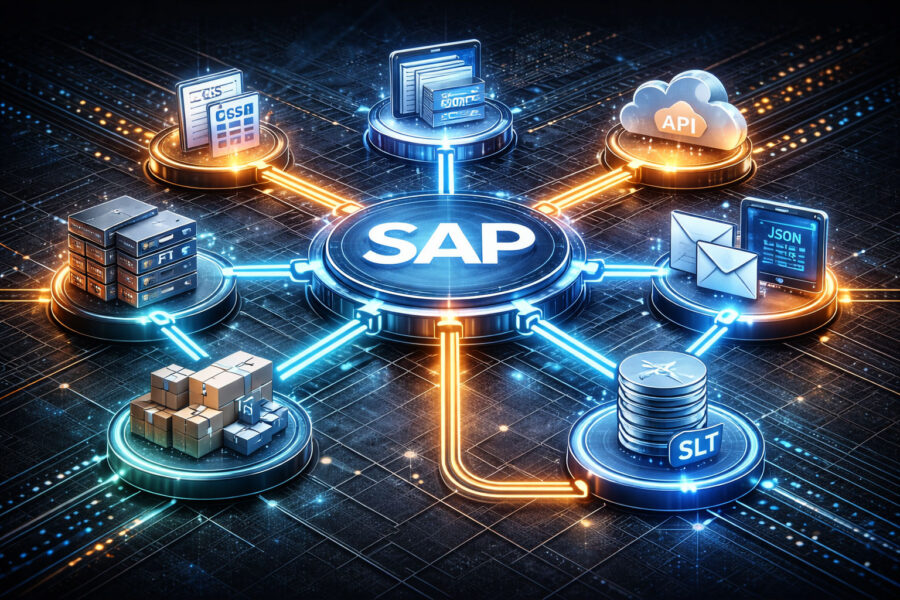
SAP Methods (Part 1)
1. Functional Fear
Integration has a peculiar reputation among SAP functional consultants. Many treat it as a dark forest belonging entirely to the technical team. The usual explanation is familiar: I only know my module. Integration is for developers. I studied business administration, not information technology.
There is some truth in that statement. Integration technologies are implemented by technical specialists. Yet the uncomfortable reality is that even the most skilled developer cannot design a sensible integration if the functional consultant has not clearly explained the business scenario, the lifecycle of the transaction, and the operational risks involved. A developer can technically connect two systems, but deciding how they should be connected depends heavily on business context.
In other words, integration failures rarely begin with technology. They begin with incomplete business thinking.
Unless the functional consultant understands what is being integrated, why the integration exists, and how the business process behaves when something fails, the developer will default to whichever integration mechanism is most familiar. That solution may function technically while creating operational confusion later.
1.1 A Familiar Scene
Consider the following fictional but suspiciously familiar conversation.
Jerry (Functional Consultant): “Mike, I have written the requirements for the integration between SAP and the other system. Can we make it plug-and-play? Connect and everything works?”
Mike (Developer): “Jerry, that is not how integrations work. This is not Lego. We need data mapping (translating fields between systems), APIs (Application Programming Interfaces, essentially software doorbells), and error handling.”
Jerry: “But SAP has IDocs (Intermediate Documents, SAP’s structured message format). Can we just send those?”
Mike: “Sure. And the other system will catch them like a dodgeball to the face.”
Jerry: “So the other system does not speak SAP language?”
Mike: “Exactly. Sending SAP data to another system without translation is like sending Shakespeare to a toddler.”
Jerry: “Fine. Then convert it into something friendlier. Maybe a PDF?”
Mike: “You want to integrate systems using PDFs?”
Jerry: “Everyone loves PDFs.”
Mike: “Yes. For reading. Not for system communication.”
At this point the developer usually requires coffee.
The humour may be exaggerated, but the misunderstanding is real.
2. Where It Began
Before discussing sophisticated integration frameworks, it helps to begin with the oldest method of all.
2.1 CSV Uploads
The most ancient and still widely used integration method is the CSV file upload (Comma Separated Values, essentially spreadsheet data saved as plain text).
Analogy: CSV uploads are like loading groceries into a car. You pack the groceries (data) and transport them to the destination (SAP).
Someone prepares the data in Excel, converts it into CSV, and uploads it through a program that reads the file.
If the file loads successfully, the integration works. If it fails, someone begins searching through thousands of rows looking for the incorrect field.
CSV files are preferred over Excel because Excel often “helps” by automatically formatting data. For example, employee number 0100 might become 100, which breaks the upload.
Pros
- Extremely simple to create
- Suitable for large batch uploads
- Minimal system configuration required
Cons
- Manual intervention required
- Limited error handling
- Debugging errors can be tedious
Typical Use
- Data migration during SAP implementations
- Initial master data loads
Relevant Transaction
LTMOM (Legacy Transfer Migration Object Modeler)
3. File Transfers
3.1 FTP
The next step in maturity is FTP (File Transfer Protocol).
Analogy: FTP is like a delivery truck transporting files between locations.
Systems generate files and place them in predefined folders. Another system collects them automatically.
Pros
- Reliable for transferring large files
- Suitable for batch processing
Cons
- Basic FTP is not encrypted (secure variants such as FTPS are required)
- Very large files can slow transfers
FTP integrations are normally handled through automation tools rather than SAP transactions.
4. Native SAP Messaging
4.1 IDocs
SAP’s native messaging format is the IDoc (Intermediate Document).
Analogy: IDocs are similar to postal mail. Each message has a structured envelope and content that the receiving SAP system understands.
Pros
- Standardised SAP format
- Reliable asynchronous communication (messages sent without waiting for an immediate response)
- Strong monitoring tools
Cons
- Complex configuration
- Best suited for SAP-to-SAP environments
Transactions
WE02 (IDoc monitoring)
WE19 (IDoc testing)
Many core SAP processes such as Order-to-Cash (O2C) and Procure-to-Pay (P2P) rely heavily on IDocs.
4.2 RFC
Another classic SAP mechanism is RFC (Remote Function Call).
Analogy: RFC behaves like a telephone call between systems.
One system invokes a function in another system.
Pros
- Fast for small transactions
- Supports synchronous and asynchronous calls
Cons
- Systems become tightly coupled
- Limited error handling
Transactions
SM59 (maintain RFC connections)
SE37 (execute function modules)
5. Web-Based Integration
5.1 SOAP
SOAP (Simple Object Access Protocol) web services became common when SAP began integrating with external systems.
Analogy: SOAP resembles diplomatic correspondence. Messages follow strict structure and protocol.
Pros
- Standardised XML messaging
- Strong security features
- Platform independent
Cons
- XML overhead makes communication slower
- Configuration complexity
Transaction
SOAMANAGER
SOAP integrations remain common in financial services and regulated industries.
5.2 REST APIs
Modern integrations increasingly use REST APIs (Representational State Transfer Application Programming Interfaces).
Analogy: If SOAP resembles diplomatic correspondence, REST is closer to instant messaging.
Data is usually exchanged using JSON (JavaScript Object Notation, a compact data format).
Pros
- Lightweight and fast
- Highly scalable
- Suitable for cloud and mobile applications
Cons
- Security must be implemented carefully
- Lack of strict structure may create inconsistencies
5.3 OData
OData (Open Data Protocol) is SAP’s preferred method for exposing business data to applications such as SAP Fiori.
Analogy: Think of OData as a vending machine for data.
Applications request specific records and receive them instantly.
Pros
- Supports CRUD operations (Create, Read, Update, Delete)
- Built on REST principles
- Native integration with SAP Fiori
Cons
- Limited suitability for complex transactions
- Performance challenges with extremely large datasets
Transaction
SEGW (SAP Gateway Service Builder)
6. Enterprise Integration Platforms
6.1 SAP Process Orchestration
SAP PO (Process Orchestration) acts as a traffic controller for enterprise integrations.
It manages routing, transformation, and protocol conversion across systems.
Pros
- Centralised integration management
- Supports many protocols
- Powerful transformation tools
Cons
- High licensing cost
- Operational complexity
Monitoring
SXMB_MONI
6.2 SAP CPI
SAP CPI (Cloud Platform Integration) is SAP’s cloud-native integration platform.
Analogy: CPI behaves like a cloud bus service transporting data between systems.
Pros
- Cloud-native architecture
- Prebuilt integration packages
- Supports multiple protocols
Cons
- Subscription cost
- Dependence on network connectivity
7. Data Integration
7.1 SAP Data Services
SAP Data Services (BODS – BusinessObjects Data Services) is an ETL platform.
ETL stands for Extract, Transform, Load, meaning data is collected from one system, cleaned or transformed, and loaded into another.
Analogy: BODS behaves like a factory conveyor belt refining raw material into usable output.
Pros
- Powerful transformation tools
- Integrates multiple data sources
- Strong monitoring capabilities
Cons
- Complex configuration
- Performance limitations with extremely large datasets
7.2 SAP SLT
SAP SLT (System Landscape Transformation) enables near real-time replication between systems.
Analogy: SLT behaves like a live broadcast channel constantly transmitting updates between systems.
Pros
- Near real-time replication
- Flexible transformations
- Multiple target systems supported
Cons
- Complex setup
- Resource intensive
Transactions
LTRC (replication configuration)
LTR (SLT cockpit)
8. For Now
This overview does not attempt to turn functional consultants into integration architects. That is neither realistic nor necessary. The objective is simply to provide a mental map of the integration landscape inside SAP, enabling functional consultants to ask better questions and design better business scenarios.
In the next article we will step outside SAP itself and examine integration technologies developed beyond the SAP ecosystem. We will also explore concepts such as synchronous versus asynchronous communication, real-time versus batch processing, data streaming, and message queuing, along with practical examples that help visualise how these integration approaches operate in real business environments.